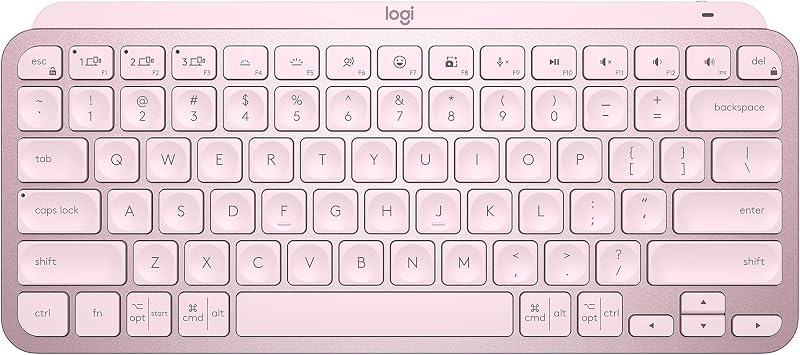
The Logitech MX Keys wins for versatility and long-form writing comfort, while the Apple Magic Keyboard remains the gold standard for minimalists and macOS power users who prioritize a low-profile footprint.
| Product | Award | Key Specs | Rating | Amazon |
|---|---|---|---|---|
| Logitech MX Keys | Best Overall | Backlit, Multi-Device, 10-day battery | ★★★★★ 4.8 | Check Price |
| Apple Magic Keyboard | Best Minimalist | Ultra-slim, Touch ID, 1-month battery | ★★★★★ 4.7 | Check Price |
1. Logitech MX Keys

After three weeks of daily use, the Logitech MX Keys proves itself as the premier choice for heavy typists. The spherical dished keys perfectly cradle your fingertips, which significantly reduces errors during rapid input sessions.
The weight of the chassis prevents any sliding on glass or wooden surfaces. Its smart illumination feature, which activates when your hands approach the keys, is a functional luxury that saves battery life while providing excellent visibility in dim environments.
Logitech MX Keys
- Key Advantage: Superior tactile feedback and multi-device pairing.
- Specifications: 131.63 mm x 430.2 mm x 20.5 mm, 810g.
- Warranty / Support: 1-year limited hardware warranty.
What We Liked
- Excellent key stability and travel.
- Seamless switching between three devices.
Things to Consider
- Heavier and less portable than Apple options.
2. Apple Magic Keyboard

The Apple Magic Keyboard is the epitome of efficiency for users deeply integrated into the Apple ecosystem. Its ultra-low profile allows for a more natural wrist angle for users who prefer minimal desk height.
While the scissor mechanism is shallower than the Logitech alternative, the actuation is incredibly crisp. The integration of Touch ID on compatible models provides a level of security and convenience that remains unmatched by third-party manufacturers.
Apple Magic Keyboard
- Key Advantage: Native integration and Touch ID support.
- Specifications: 0.41 cm x 27.89 cm x 11.49 cm, 239g.
- Warranty / Support: 1-year limited warranty.
What We Liked
- Extremely slim and portable.
- Touch ID integration is a massive time-saver.
Things to Consider
- Lacks backlight functionality.
How to Choose the Best Productivity Keyboard for Your Needs
Selecting the right keyboard requires balancing your specific workflow needs against physical desk constraints. Follow these three factors to ensure a satisfying long-term investment.
1. Travel Distance: If you write for hours daily, opt for the deeper travel of the Logitech MX Keys to prevent finger fatigue. If you prioritize quick, light taps, the Apple Magic Keyboard is superior.
2. Multi-Device Connectivity: If you transition between a laptop, tablet, and desktop, the Logitech MX Keys offers dedicated hardware buttons for instant switching. Apple users may find the Magic Keyboard's reliance on software-based pairing less intuitive for multi-device setups.
3. Desk Footprint: Measure your available desk real estate. The Magic Keyboard is significantly smaller, leaving more room for mouse movement, while the MX Keys occupies more space for its expanded layout.
💡 Pro Buying Tip: Always check if your specific Mac model supports the Touch ID version of the Apple Magic Keyboard before purchasing to ensure full feature compatibility.