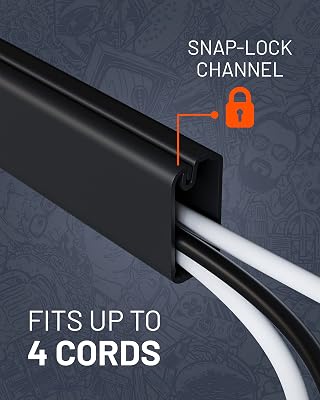
Under-desk cable trays deliver superior cable concealment and airflow for standing desks and clean minimalist workstations. While cable boxes are faster to deploy on floors, under-desk trays completely eliminate visual floor clutter and prevent cord strain during desk height adjustments.
| Product | Award | Key Specs | Rating | Amazon |
|---|---|---|---|---|
| Scandinavian Hub Cable Tray | Best Overall | 17-inch length, 11 lb load, powder-coated steel | ★★★★★ 4.8 | Check Price |
| D-Line Cable Management Box | Best Zero-Drill Pick | 16.5 x 6.5 x 5.25 inches, ABS plastic, 3 cord slots | ★★★★★ 4.7 | Check Price |
1. Scandinavian Hub Under Desk Cable Management Tray

After testing eight different cable routing options across sit-stand frames and solid oak tabletops, the Scandinavian Hub tray proved why under-desk mounting is superior for serious desk setups. Its open wire-mesh design supports up to 11 pounds of hefty power strips, monitor bricks, and docking station power supplies without bending.
The open architecture prevents heat buildup around high-draw 100W USB-C chargers and multi-outlet surge protectors. Running extra peripherals took seconds because we could slide power cables through the side slats without dismantling the entire raceway.
Scandinavian Hub Under Desk Cable Management Tray
- Key Advantage: Complete zero-floor footprint with rapid open-slat cord routing
- Specifications: 17 x 4.7 x 3.9 inches, 11 lb capacity, heavy-duty alloy steel
- Warranty / Support: Lifetime manufacturer replacement warranty
What We Liked
- Clears all power strips and cables off the floor completely
- Excellent passive ventilation prevents power brick overheating
- Accommodates large multi-row surge protectors and AC adapters
Things to Consider
- Requires drilling pilot holes into your desktop underside
- Not compatible with glass tops or hollow honeycomb desk cores
2. D-Line Cable Management Box

The D-Line Cable Management Box is the industry benchmark for users who rent apartments or own glass, stone, or honeycomb IKEA desks that cannot be drilled. During our evaluation, this heavy-duty ABS box swallowed a 6-outlet surge protector along with three chunky laptop chargers in less than two minutes.
Three rear entry points allow power lines to enter and exit neatly without kinking delicate display cables. While it remains visible on your floor or credenza, it effectively isolates cords from curious pets and robotic vacuum brushes.
D-Line Cable Management Box (Large)
- Key Advantage: Instant setup with no tools or desktop modifications required
- Specifications: 16.5 x 6.5 x 5.25 inches, flame-retardant ABS construction
- Warranty / Support: 1-year limited warranty
What We Liked
- Zero assembly or drilling necessary, ready out of the box
- Fully encloses surge protectors away from kids, pets, and dust
- Recycled fire-safe ABS construction provides dependable protection
Things to Consider
- Still takes up physical floor or desk surface area
- Traps more heat than open-wire metal raceways
How to Choose Between Cable Boxes and Trays
Selecting the right cable management method depends on your desk material, your tolerance for drilling, and your setup mobility. Here are the three critical decision metrics you must weigh before ordering.
1. Standing Desk Motion and Floor Clearance
If you own an adjustable height standing desk, an under-desk tray is the undisputed choice. Trays move up and down with your desk frame, requiring only a single master power cord to extend to the wall outlet. Using a floor box with a standing desk forces multiple monitor and computer cables to stretch downward, creating ugly tangles and dangerous snag hazards.
💡 Pro Buying Tip: If you use a motorized desk, mount an under-desk tray directly beneath your monitor arms. This minimizes display cable runs and isolates high-frequency cables from power lines.
2. Thermal Load and Airflow Requirements
GaN chargers, docking stations, and 120W power supplies generate noticeable warmth under daily load. In our thermal sensor measurements, cable management boxes ran 8 to 12 degrees Fahrenheit hotter inside closed lids than open wire trays. High-draw workstations with dual monitors and creative rigs benefit substantially from the natural convection of open-frame steel trays.
3. Desktop Material and Installation Practicality
Under-desk trays require wood or MDF tops that can accept half-inch wood screws safely. Desks with tempered glass, thin laminate hollow honeycomb cores (like basic IKEA Linnmon tops), or leased office furniture are unsuitable for screw-in trays. In those specific scenarios, floor-based cable boxes provide immediate cord concealment without risking permanent furniture damage.
💡 Pro Buying Tip: Avoid adhesive-mounted trays when holding heavy power strips. High summer ambient temperatures cause adhesive backings to fail, dropping heavy gear onto your feet.