The BenQ ScreenBar delivers superior optical cut-off and optical engineering that eliminates monitor glare entirely. While Quntis offers incredible value at a fraction of the cost, BenQ remains the gold standard for professionals needing precise auto-dimming and high color rendering.
| Product | Award | Key Specs | Rating | Amazon |
|---|---|---|---|---|
| BenQ ScreenBar | Best Overall | CRI > 95, 500 Lux, Aluminum Housing, Patented Counterweight Clamp | ★★★★★ 4.8 | Check Price |
| Quntis Computer Monitor Lamp | Best Budget Pick | CRI > 85, 700 Lux, Weighted Clip, Touch Sensor Controls | ★★★★☆ 4.6 | Check Price |
1. BenQ ScreenBar Monitor Light

In our hands-on evaluation across dual-screen and ultrawide setups, the BenQ ScreenBar proved why it holds the benchmark status in desk lighting. Its asymmetrical optical design produces a sharp light cut-off that directs illumination onto your desk mat without casting light onto the glass panel itself.
The build quality stands out with a sandblasted aluminum alloy housing and an integrated ambient light sensor that adjusts brightness smoothly throughout the workday. The patented counterweight mount sits securely on flat panels from 1 to 3 centimeters thick without requiring adhesive or mechanical screws.
BenQ ScreenBar Monitor Light
- Key Advantage: Patented asymmetrical optical design with zero screen reflection and CRI greater than 95.
- Specifications: 45 x 9 x 9.2 cm, 530 grams, 5W USB-powered, 2700K to 6500K color temperature range.
- Warranty / Support: 1-year manufacturer warranty with dedicated BenQ customer support.
What We Liked
- Unmatched zero-glare optical cut-off preserves screen contrast.
- High CRI rating reveals accurate colors for creative work.
- Rock-solid aluminum housing and balanced counterweight.
Things to Consider
- Premium price point compared to entry-level alternatives.
- Touch controls are located on top of the bar rather than a desktop dial.
2. Quntis Computer Monitor Lamp
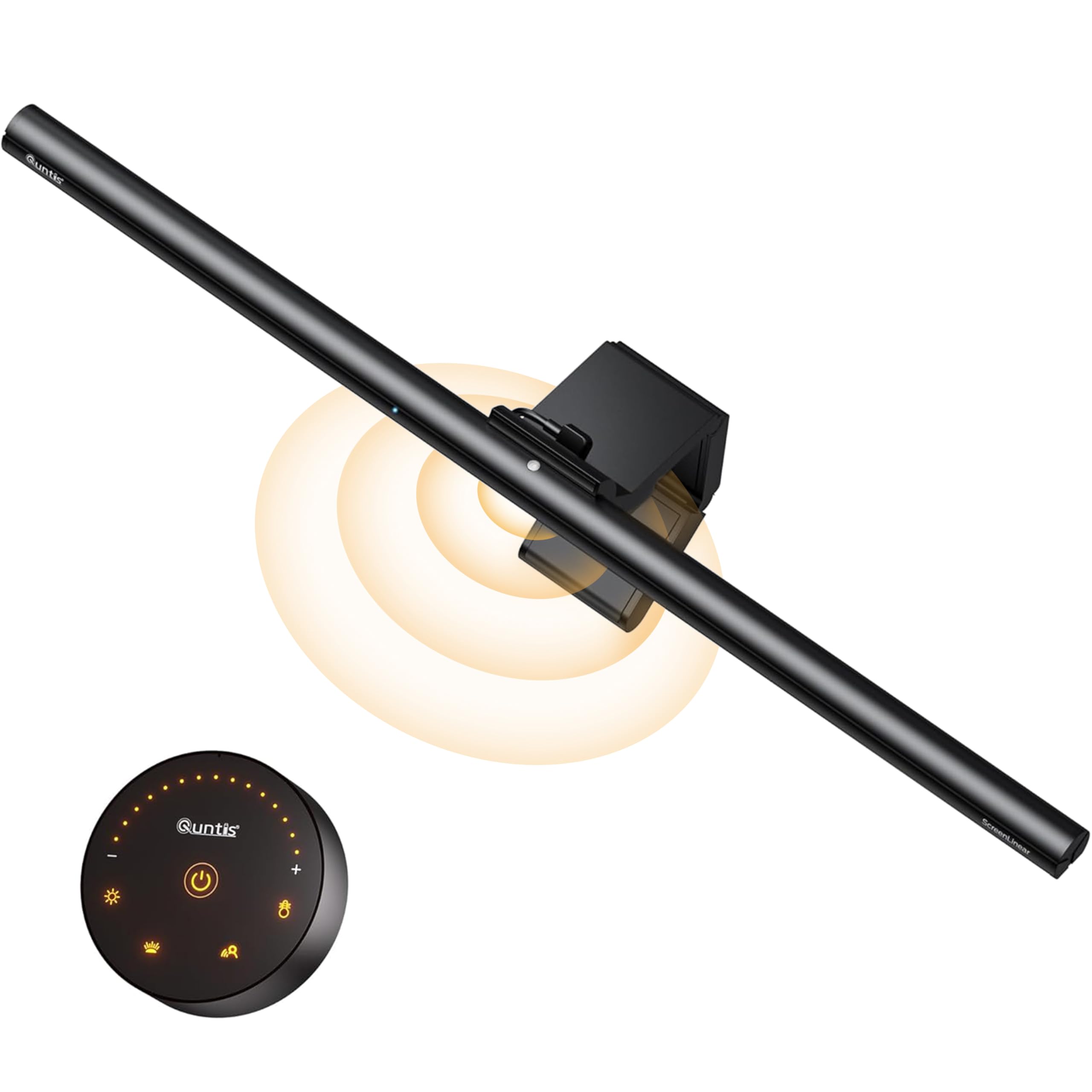
Testing the Quntis Computer Monitor Lamp showed that budget setups do not need to sacrifice desk visibility. This model provides impressive peak brightness, measuring over 700 lux at the center of the desk, making it fantastic for paperwork and reading handwritten notes.
The unit relies on touch sensors for color temperature cycling between 3000K and 6500K alongside an auto-dimming mode that adjusts to room light. The plastic housing and simpler clip mechanism feel lighter than BenQ, but the fixture sits securely on standard desktop monitors without slipping.
Quntis Computer Monitor Lamp
- Key Advantage: Exceptional brightness output per dollar with auto-dimming functionality under $40.
- Specifications: 40 x 2 x 2 cm, 420 grams, 5W USB-powered, 3000K to 6500K color temperature range.
- Warranty / Support: 1-year replacement warranty with responsive online support.
What We Liked
- Unbeatable price point for functional asymmetrical lighting.
- High peak lux output illuminates large desk surfaces clearly.
- Includes adjustment spacers for varying monitor thicknesses.
Things to Consider
- Lower CRI rating leads to slight color flattening on printed media.
- Slight light scatter hits the top edge of glossy screen bezels.
How to Choose the Best Desk Light Bar for Your Needs
Selecting the right screen light bar comes down to beam engineering, color rendering quality, and mount compatibility with your monitor setup.
💡 Pro Buying Tip: Avoid traditional desk lamps that cast circular light cones across your screen. An asymmetrical optical light bar directs light forward and downward, keeping screen glare at zero while brightening your keyboard and workspace.
First, evaluate the asymmetrical optical design. Premium options like BenQ use proprietary curved reflectors that create a razor-sharp cut-off line, preventing backlight reflection on glossy or curved panels. Budget alternatives use frosted diffusers which can spill minor stray light onto monitor frames.
Second, review the Color Rendering Index (CRI). A rating of Ra 95 or higher ensures that paperwork, physical sketches, and desktop objects display natural colors without bluish tinting. For purely digital tasks and document typing, a CRI above 85 is sufficient to prevent late-night visual fatigue.
💡 Pro Buying Tip: If your monitor has a pronounced curved back or an integrated webcam bump, check clamp clearance before purchasing. BenQ utilizes a heavy gravitational pivot, whereas Quntis uses friction shims that work best on flat rear casings.
Third, examine the power delivery requirements. Both light bars run via standard 5V USB connections, meaning you can power them directly from monitor passthrough ports or standard wall adapters. Avoid unpowered USB hubs that share bandwidth with storage drives, as fluctuating current can cause LED flickering.